
Religion Sheet
When making source sheets, always copy the first 3 rows from the official sheet and start your data at the 4th row. Do not alter the column order.
Migrating From CWL
CWL specs have been removed from the wiki, but mods using a CWL spec (such as cwl_xxx#minor#cannot) are still compatible. We recommend switching to the new format.
Sheet Columns
| Column | Type | Description |
|---|---|---|
| id | string | Custom religion ID must begin with custom, for example: custom_spaghettigod |
| name_JP | string | Display name in Japanese |
| name | string | Display name in English. For other languages, use SourceLocalization |
| name2_JP | string[] | Domain name, short name, in Japanese |
| name2 | string[] | Domain name, short name, in English |
| type | string | Display category only: shown as the ("sub_" + type) lang entry in faction lists/logs. Whether a religion is treated as custom is decided by the id prefix (custom), and custom religions are always instantiated as ReligionCustom; this column does not pick a C# type. A custom Religion subclass requires code registration via RegisterCustomReligion |
| idMaterial | string | Material alias of the altar |
| faith | string | Unused |
| domain | string | Unused |
| tax | int | Religion tax percentage. Blank means 100 |
| relation | int | Starting relation. Blank means 50 |
| elements | elements | Religion elements bonus given to chara, as element_alias/value |
| cat_offer | string[] | Offering category |
| rewards | string[] | Gift rank 1 & 2 rewards |
| textType_JP | string | Avatar type in Japanese |
| textType | string | Avatar type in English |
| textAvatar | string | Avatar information |
| detail_JP | string | Detail in Japanese |
| detail | string | Detail in English |
| textBenefit_JP | string | Blessing information in Japanese |
| textBenefit | string | Blessing information in English |
| textPet_JP | string | God pet information in Japanese |
| textPet | string | God pet information in English |
Portrait
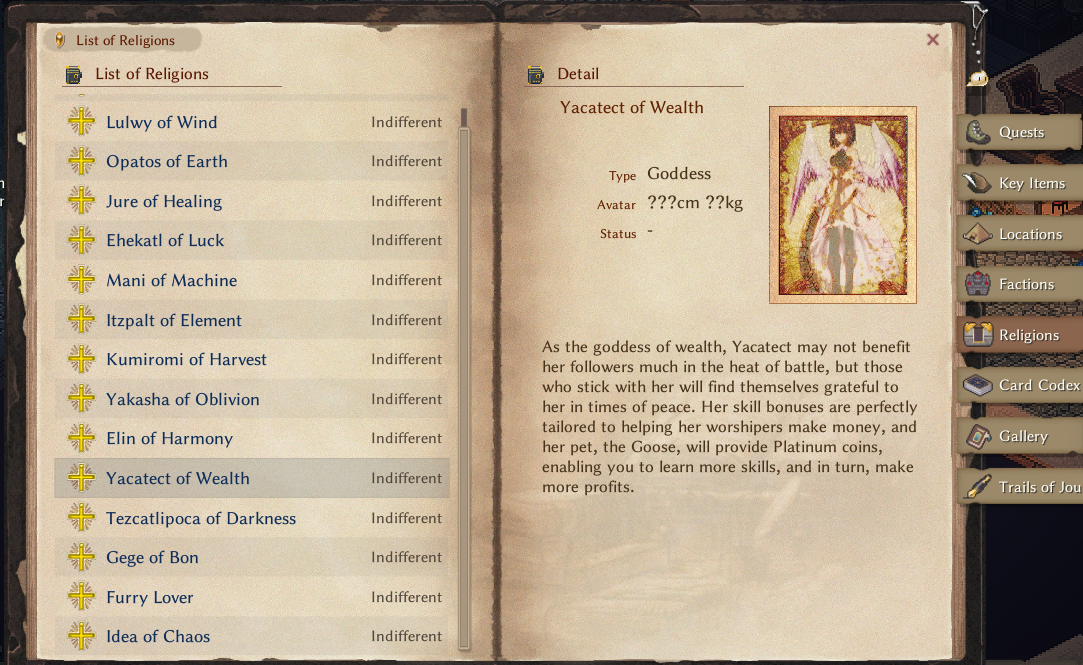
To create an optional custom portrait for your religion, put a .png image named after the religion ID in the Texture folder, such as custom_spaghettigod.png.
God Talks
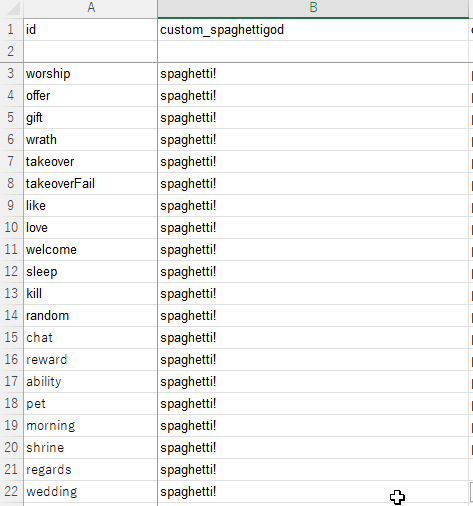
A god talk sheet placed at LangMod/**/Data/god_talk.xlsx provides the god's voice lines; without it the religion still functions, but god talks are blank. For reference, the base game sheet is at Elin/Package/_Elona/Lang/EN/Data/god_talk.xlsx.
Religion Data
Supplementary religion data goes in a JSON file named religion_data.json in your LangMod/**/Data/ folder.
{
    "custom_spaghettigod": {
        "CanJoin": true,
        "IsMinorGod": false,
        "NoPunish": false,
        "NoPunishTakeover": false,
        "Artifacts": [
            "my_awesome_weapon",
            "my_awesome_armor"
        ],
        "Elements": [
            "vopal",
            "eleLightning",
            "bane_all",
            "r_life"
        ],
        "GodAbilities": [
            "my_awesome_ability"
        ],
        "OfferingMtp": {
            "spaghetti": 20
        },
        "OfferingValue": {
            "mushroom": "base * 16 + 520 + lv * 3 + rarity * 2"
        }
    },
    "custom_example_religion2": {
        data...
    }
}CanJoin
Can join this religion.
Default value:trueIsMinorGod
A minor religion.
Default value:falseNoPunish
No punishment when leaving.
Default value:falseNoPunishTakeover
No punishment when taking over.
Default value:falseArtifacts
List of Thing IDs that are this religion's artifacts. Entries from CWL mods that used thegodArtifact,religion_idtag spec are added automatically.Elements
List of Element aliases that only work on the artifact while the religion is active. Entries from CWL mods that used thereligion_elements.jsonspec are added automatically.GodAbilities
List of Element aliases that count as god abilities; performing one triggers theabilitygod talk. The element's row must also carry thegodAbilitytag for the trigger to fire. Entries from CWL mods that used thegodAbility,religion_idtag spec are added automatically.OfferingMtp
Offering multiplier override for specific Thing IDs. Entries from CWL mods that used thereligion_offerings.jsonspec are added automatically.OfferingValue
Offering value override for specific Thing IDs, written as an arithmetic expression.
Arguments:base(the offering value computed by the base game, from item weight/category),lv(item level),rarity(item rarity)- Omit any field to use its default value.
God Favor
You can add an optional god favor feat in the Element sheet. Name it using the format featGod_ + YourReligionID + 1 (for example, featGod_custom_spaghettigod1). Reference the SourceElement sheet and copy one of the built-in favors, such as featGod_element1, as a base row to modify.