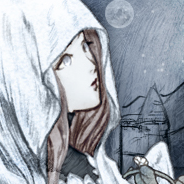
Portrait Spec
Portraits are .png files placed in the Portrait folder inside your mod package.
- Size: 240x320
- Background: Transparent
- Filename: category_gender-name.png
Categories:
c, default character portraitsfoxfolk, Mifu and Nefu race portraitsguard, guard portraitsspecial, special portraits such as little girl, sister, exile
Genders:
m, malef, femalen, unknown
Player Portraits
When adding new player portraits, you can use any category above with any name, such as c_f-myportraits01 or special_n-myportraits02. Make the filename unique.
NPC Portraits
Some hardcoded NPCs always use a fixed portrait id:
| Chara id | Portrait id |
|---|---|
shojo | special_f-littlegirl |
sister | special_f-littlesister |
sister_shark | special_f-littlesister |
sister_penguin | special_f-littlesister |
imotoroid | special_f-littlesister |
imotoroid_origin | special_f-littlesister |
citizen_exile | special_n-exile (non-random) |
Unique NPCs use UN_id as their portrait id. For example: Fiama is UN_fiama, Gwen is UN_gwen.
You can override a unique NPC's portrait by providing a portrait with the same portrait id.
Portrait for a New Character Mod
When creating a new character mod, the character portrait (fixed sprite) is also bound using the UN_ prefix.
You should provide an image with a transparent background named UN_id.png as the portrait.
- Size: Width:Height=3:4
(240x320 is recommended, otherwise scaling may affect image quality.) - Background: Transparent
- File Naming:
UN_id.png
(whereidis your character's ID, which is what you entered in the ID column of the Character Source Sheet)